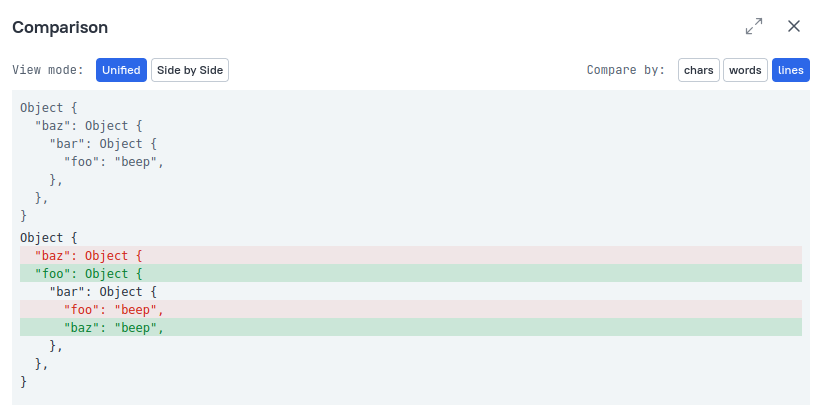
Viewing assertion failures: actual vs. expected Allure 3
When a test fails due to an assertion error, Allure Report can show you exactly what went wrong by comparing the expected value (what your test anticipated) against the actual value (what your code produced).
The error block
Each failed test displays an error block containing the assertion message. Clicking the message expands the full stack trace below it.
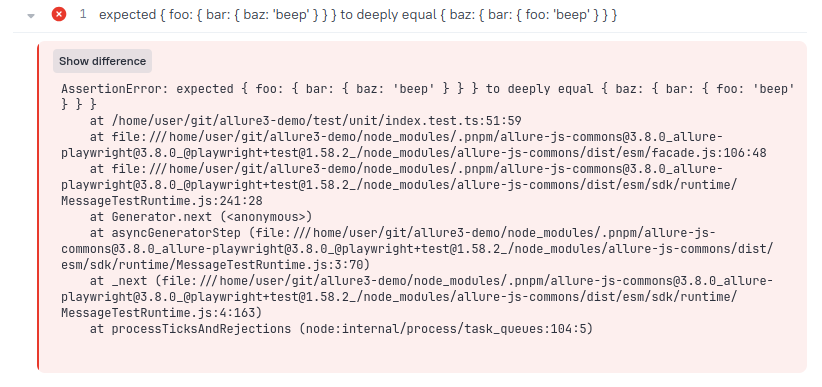
The diff viewer
If the test framework reports both an actual and an expected value, a Show difference button appears in the error block. Clicking it opens a comparison modal with two controls:
View mode - choose how the comparison is laid out:
- Unified - shows the expected value in grey, followed immediately by the diff. Added text is highlighted green, removed text red.
- Side-by-side - shows expected on the left and actual (with the diff applied) on the right.
Compare by - choose the granularity of the diff:
- Lines (default) - highlights entire lines that differ, good for multi-line strings or JSON.
- Words - highlights individual words, useful for prose or long sentences.
- Chars - highlights individual characters, useful for spotting subtle typos or whitespace differences.